A step by step guide on how to order a size of an uniform item that is not available via the dropdown.

The EZ-Kit ordering process can come with its own set of challenges, however guides like these aim to get rid of them. When the desired size is not listed via the size dropdown, it is likely the size is back-ordered or temporarily unavailable. For more information regarding the status of the item, contact customer service.
STEP 1:
If you would like to order the back-ordered size, first select any size available to you via the dropdown menu.
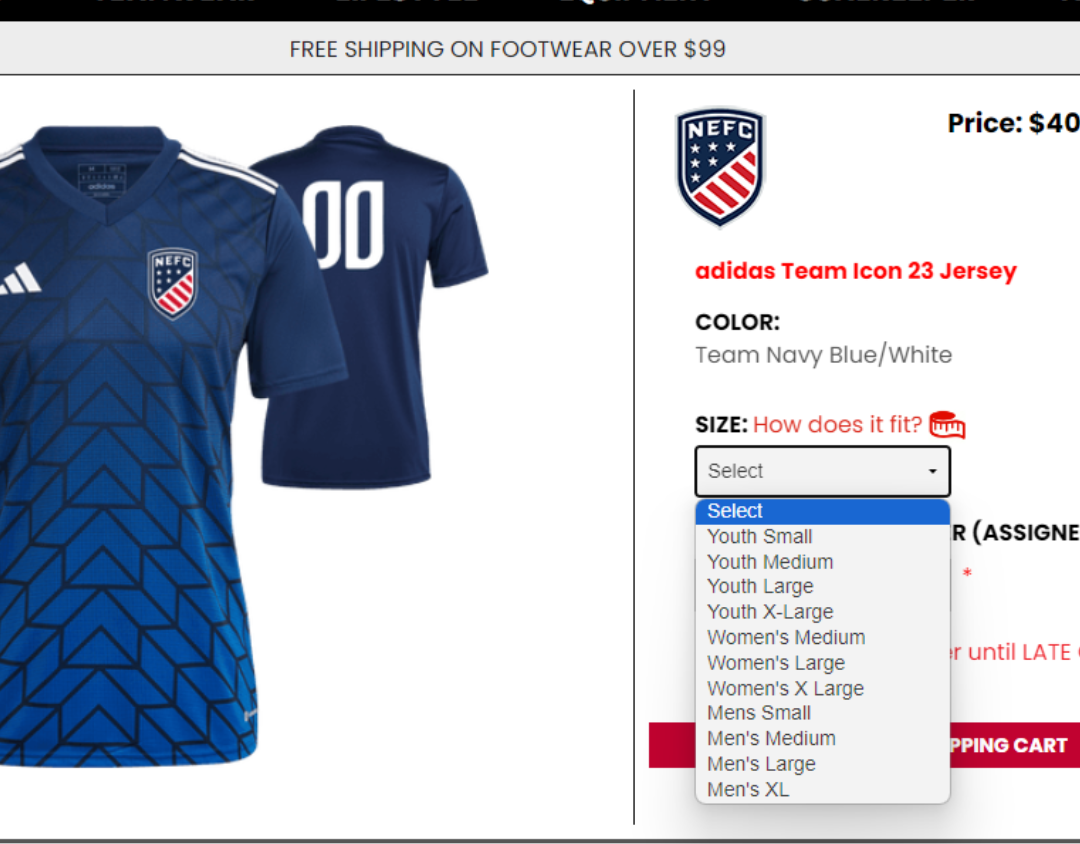
In this example, WOMEN'S SMALL is not available via the dropdown. We'll select YOUTH LARGE for the time being.
STEP 2:
From here, add the kit or item to your cart and proceed to checkout as normal. Before completing your order, STOP at step 5 of checkout.
STEP 3:
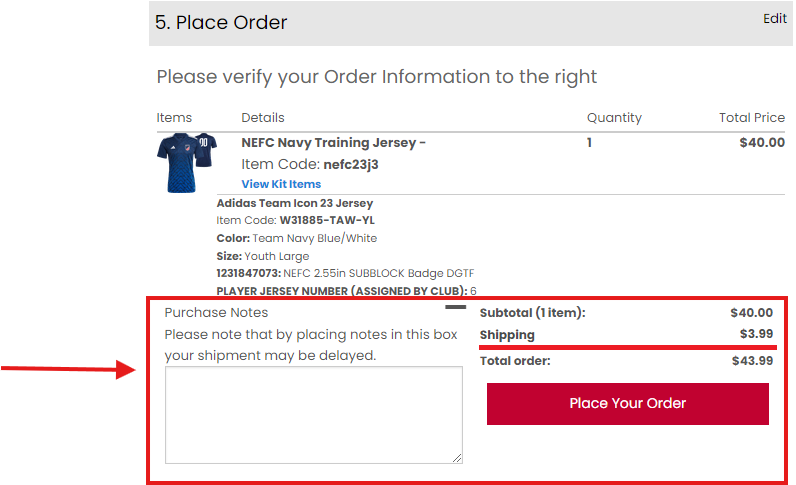
Located to the right of the "Place Your Order" button is a text field known as "Purchase Notes". We use this field to address any customer concerns once an order is placed. Please note that the contents of the message has to be reviewed and addressed BEFORE an order is slated for production.
In this example, we can add the following note in order to process an order for a back-ordered size:
"Please update the [ITEM NAME] from YOUTH LARGE to WOMEN'S SMALL. That size was not available when ordering."
STEP 4:
After the note is finished, feel free to place your order! The customer service team will then review the note and process the order with the back-ordered size. In the event that more information would need to provide you, our team would reach out to you.
We take pride in the trust your organization puts in us to service your uniforms. From the whole team at WeGotSoccer, we hope to keep supporting your players on and off the field for years to come!
Kind regards,
WeGotSoccer Customer Service Team